After discussing our own thoughts on the logos, we got some feedback from our peers and asked which one of each pair looks the best, and would be most distinct and memorable. 4/7 said that the Hounslow Films logo would be the most distinctive from pair 1, while 5/7 said that the PTB Productions logo would be the most memorable and unique from pair 2.
We took this feedback on board, and went onto Adobe Photoshop to create our production logos.
For the first scene of our thriller opening, we will need to shoot in a park, which will require a bench, ideally a path, and the ability to create a sense of naturalism. The location will also ideally need to be quite open, so that there is a decent amount of natural light. Location 1 - Hanworth Park
This location could be ideal for shooting our first scene. There is a selection of benches that could be used, and the area is quite open, allowing there to be a lot of natural light.
This bench would be ideal for our first scene, as it is an open area, has a path in front of it (ideal for the character walk past the bench), and looks out onto a flat, grassy, open area, which is ideal for the over the shoulder shot of the main character, as it will look quite simplistic and will not make the background of the shot too distracting or crowded.
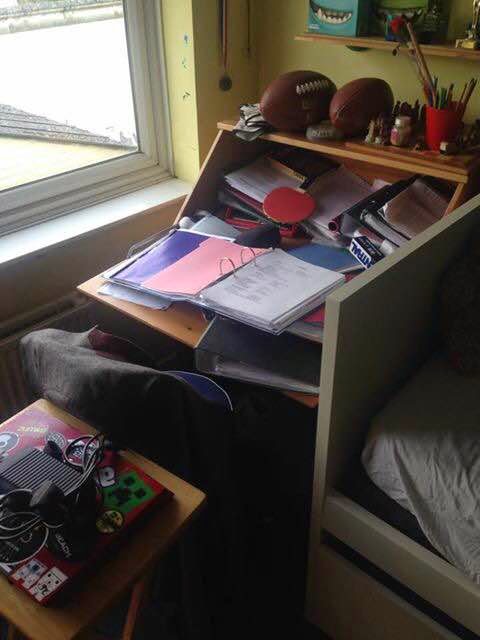
Location 2 - Max's House This location belongs to the actor that we are going to use in our thriller opening, making it an ideal place to film as we know that we can use it, and it is easily accessible. The location has everything needed that we story boarded, such as the ability to block out all natural light due to blinds, a door to film our silhouette scene, and a desk for the character to sit at in the corner of the room, as we had story boarded. This makes this location ideal to film our thriller opening at.
Door needed for our silhouette shot
Desk needed in the corner of the room needed for the interior scene
From the runners costume, we've gone for an urban look which seem casual yet practical. The audience can easily establish that the person plays the role of the runner.
We decided to learn how to use the green screen in order to expand our knowledge on different editing types and effects, incase we wanted to use a green screen in our thriller opening.
We first filmed David in front of the green screen with a DSLR camera, then uploaded that footage to the Mac and imported it into Final Cut Pro. We found an image on google images that could serve as the background image, save it, and imported it into final cut pro. We placed the video into the timeline, and placed the image underneath the video layer, then used the keyer tool to remove the green background of the video. There was still small amounts of the background left, so we used the Sample Colour tool to remove the rest of the colour, by selecting a region that had the remaining colour in it.
Keyer tool in video effects section
Sample colour tool
The green screen video layer above the image we wanted to used as a background
We studied 3 point lighting in order to gain a better understanding of how we could use lighting when filming our thriller opening, to enhance the image, create realism, and create an atmosphere. We most likely use artificial lighting if we are filming in areas that lack natural light so that characters can be visible. However, we do not feel that this lighting looks very natural, and may deduct the element of realism in certain shots. We decided to use a filter to experiment with different lighting possibilities. We feel that this creates a more natural look to shots, and this could be be used in interior shots in our thriller opening.